Remote interview integrity

Secure remoteinterview monitoring.

Monitor technical interviews in real time with secure screen sharing and comprehensive system insights. Every display, every process, with nothing installed but the client.

Secure monitoring

No extra permissions

Multi-display

Active and inactive

Process tracking

Live window titles

Book a demo
Connection active
SESSIONAB29
2
Displays
2
Active
1
Internal
1
External
Primary screenLIVE
External screenLIVE
Active processes6 detected
Codetwo-sum.ts · Visual Studio Code725 MB
chromeleetcode.com/problems/two-sum501 MB
overlayHidden window · possible cheating tool168 MB
Claudeclaude.ai/new · Claude412 MB
TeamsTechnical Interview · Round 2672 MB
nodenpm run dev155 MB
How Observer works

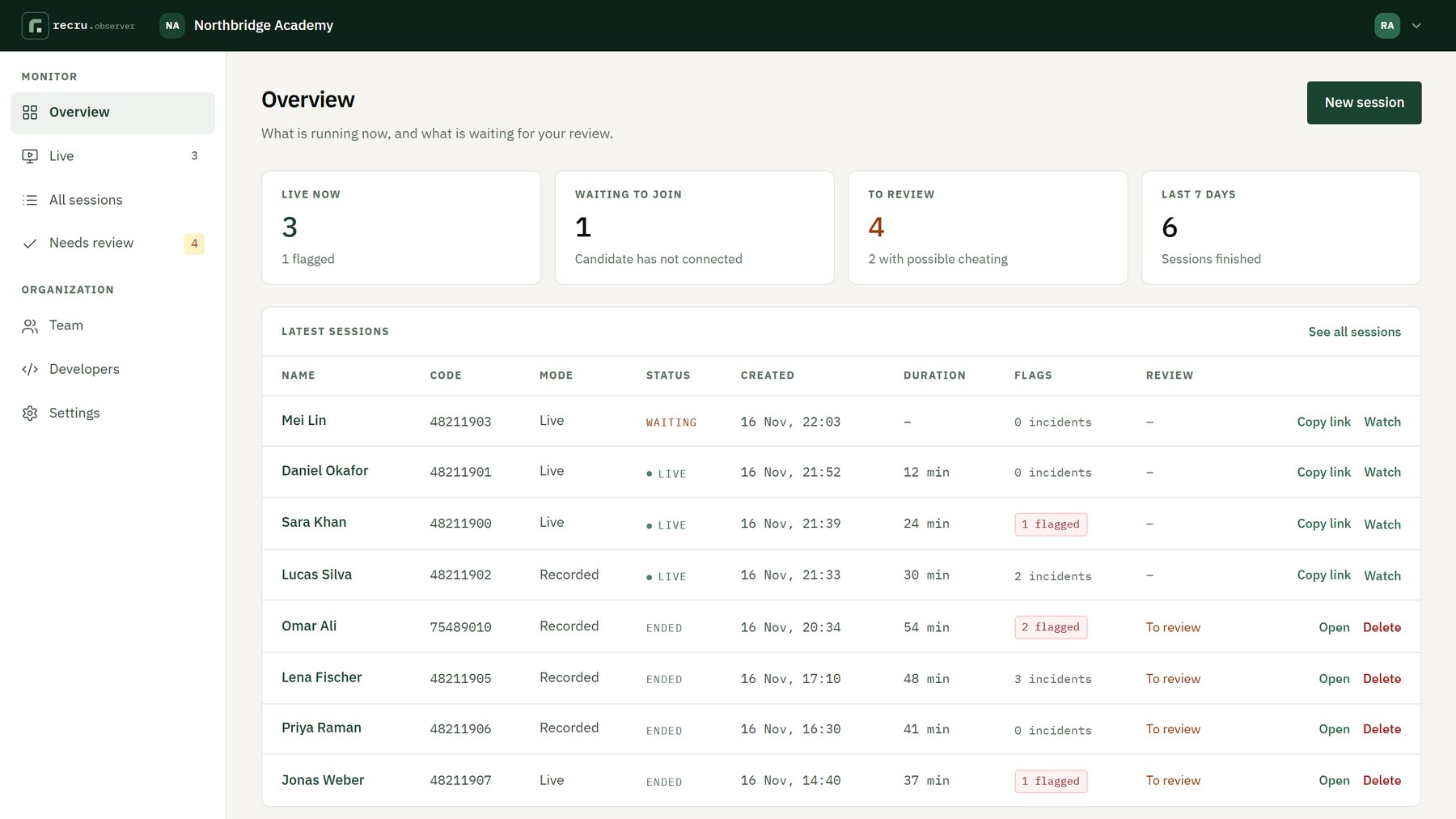
One dashboard for every interview and exam

What is running now, what was flagged, and what is waiting for your review.

Observer overview: live now, waiting to join, to review, and the latest sessions
01 · Watch live

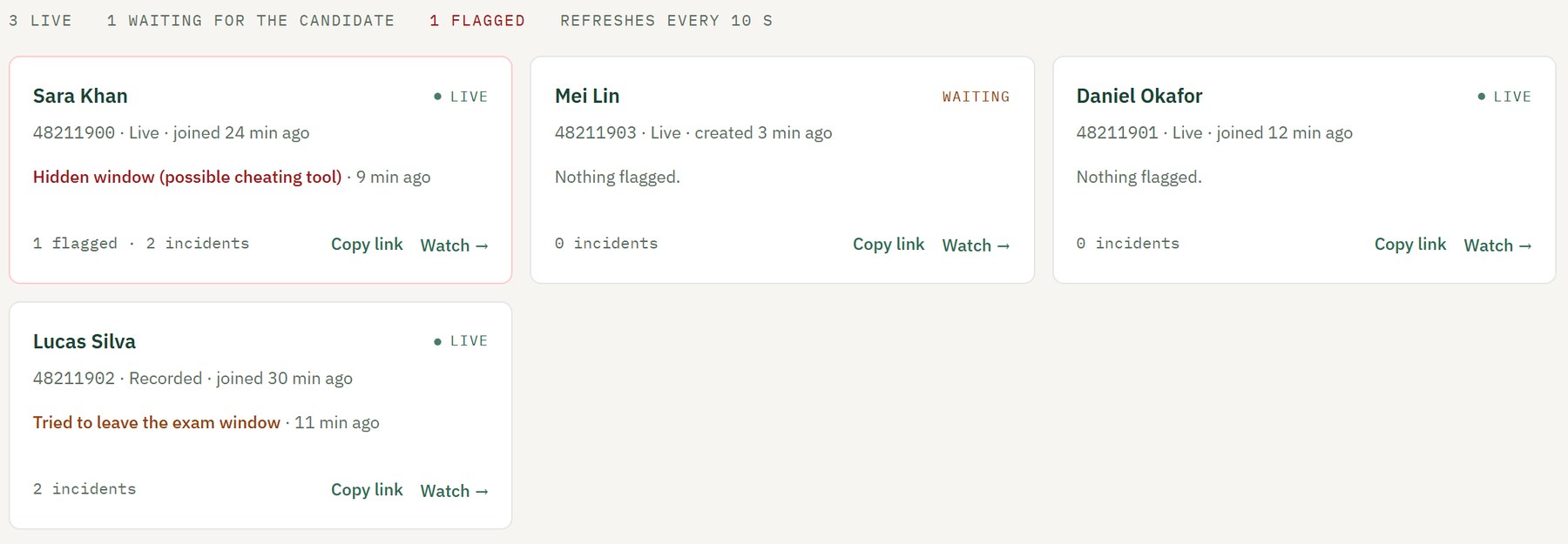
Every open session on one screen

A class sitting an exam or a day of interviews: each session is a card, with possible cheating first. Open any of them to watch the candidate's screens, camera and programs live.

  • Live, waiting and flagged at a glance
  • Updates by itself every 10 seconds
  • Anyone on the team can watch
Live board with open sessions, a flagged one first
02 · Catch cheating

Flags what a screen share can't show

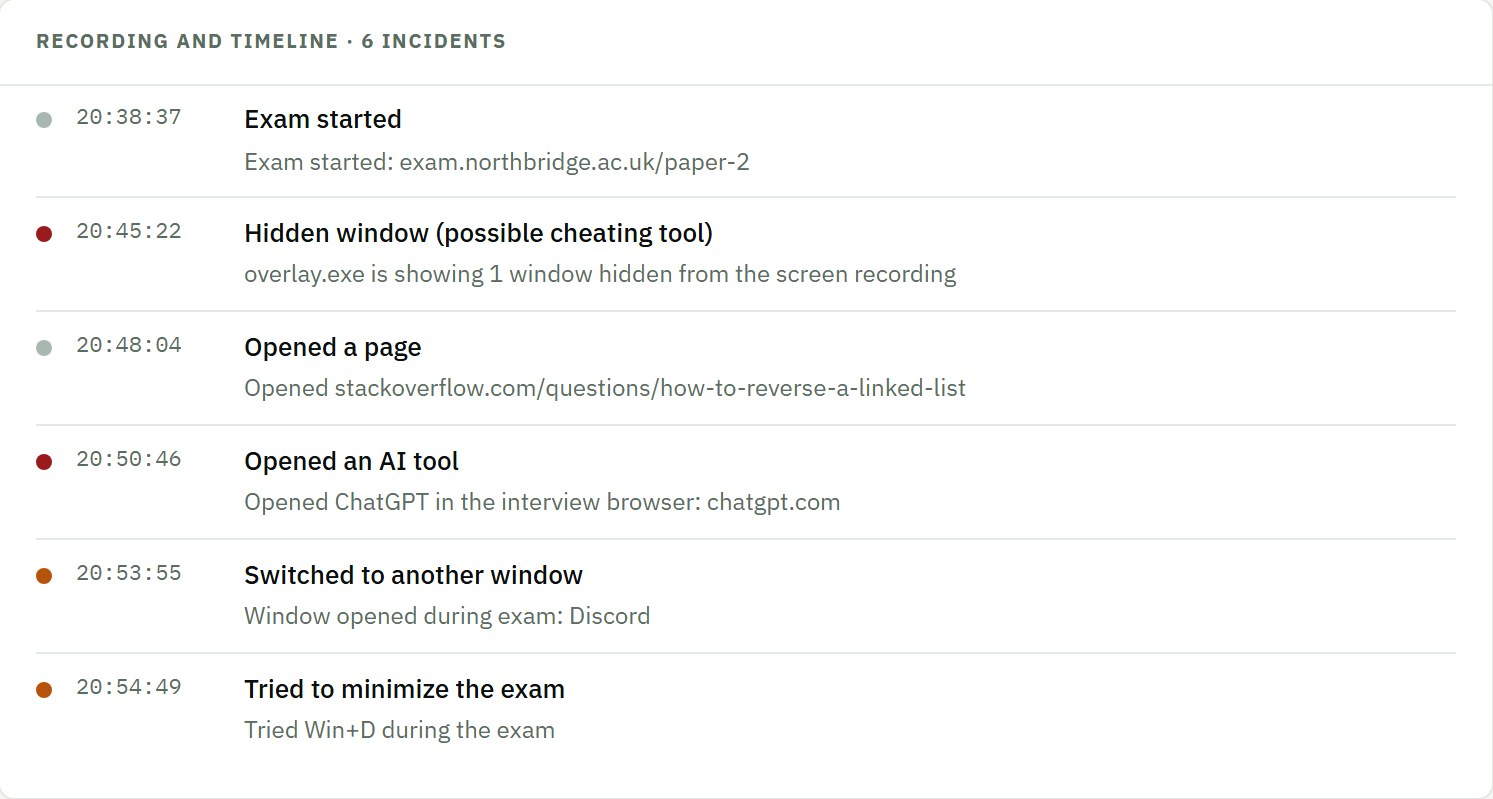
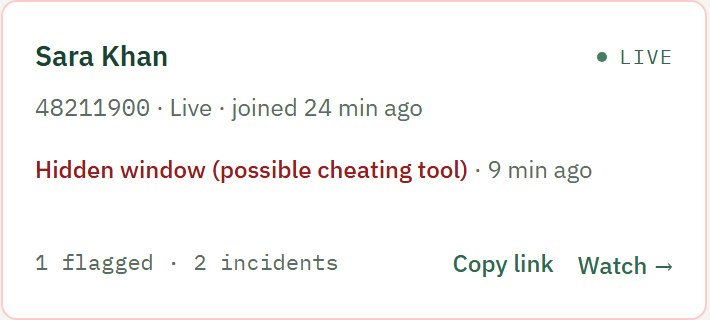
Some AI interview helpers hide their windows from screen capture, so the interviewer never sees them. Observer spots the hidden window, flags it as a possible cheating tool, and puts it on the session's timeline.

  • Hidden windows flagged as possible cheating tools
  • AI sites opened in the exam browser
  • Every switch away from the interview or exam
Session timeline: hidden window (possible cheating tool), opened an AI tool, tried to minimize the exam
Live card: hidden window (possible cheating tool)
03 · Lock it down

Exams that stay on the exam

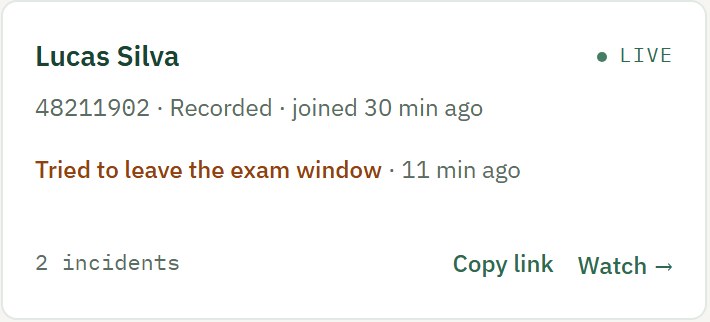
Lock the candidate into your exam site in a full-screen window. Every attempt to leave, minimize or exit full screen is recorded and shows on the live board.

  • Only the sites you allow
  • Works with any exam website
  • Starts by itself in recorded sessions
Live card: tried to leave the exam window
04 · Review after

Run hundreds of sessions, review the few that matter

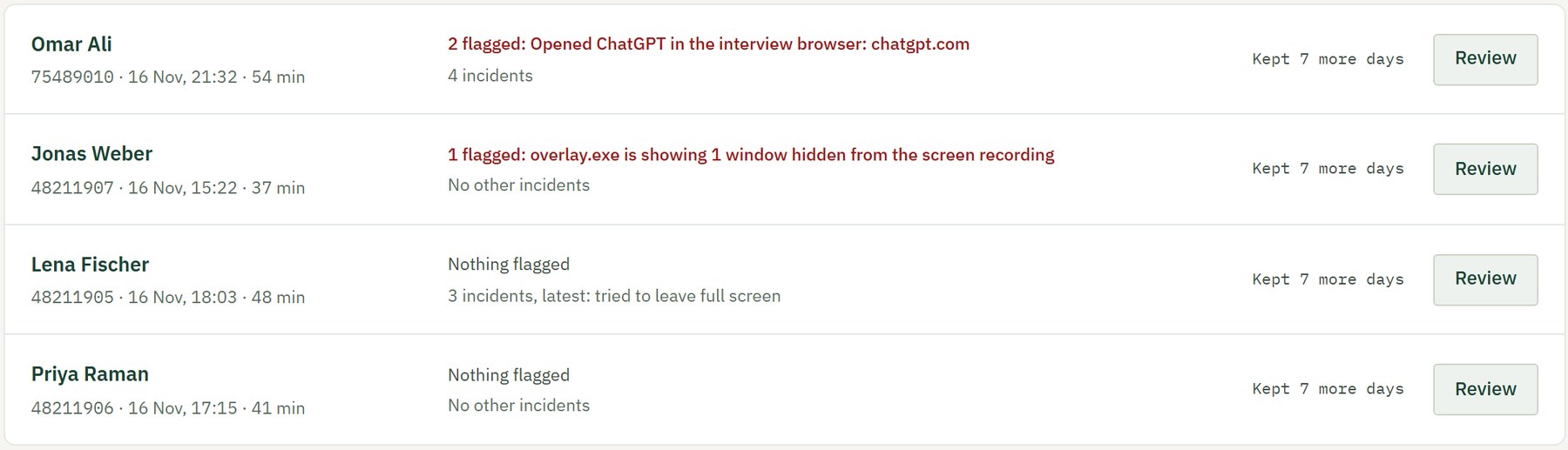
In recorded mode nobody needs to watch. Finished sessions wait in one list, possible cheating first, and you mark each one clear or suspicious with a note.

  • Recording, incidents and programs in one report
  • Recordings kept 2 days to a month, your choice
  • A webhook when a session is reviewed
Needs review list, flagged sessions first

And everything around it

Built for schools, hiring teams and developers

Open-web mode

Let candidates browse, with every page they open logged and AI tools flagged.

Workspace check

Candidates photograph their desk before the exam, and your team approves it.

Team roles

Owners, admins and interviewers, invited by email. Anyone on the team can watch.

API and SDK

Create sessions from your own app, and get signed webhooks when one starts, is flagged or ends.

Chat with the candidate

Message the candidate during a live session. They reply from the Observer app.

Candidate consent

Candidates agree before anything is shared, every time.

Run your next interview with Observer

Book a demo, or create a session and send the candidate their link in a minute.